Picture this: it is 2 AM. A customer opens your WhatsApp and types, "Do you deliver to Pune by Friday?"
Nobody replies. Your team is asleep. By 10 AM, the customer has already ordered from someone else.
The next day, the same business tries to send a weekend offer. Someone copies the message and sends it to contacts one by one. After 200 chats, the person gives up. A few leads that asked for a price last week are still waiting for a follow-up. The follow-up list lives in a notebook, and the notebook is on someone's desk.
None of this is a people problem. It is a volume problem. Customers are on WhatsApp, they expect quick answers, and no team can reply to everyone, at every hour, by hand.
This is the problem WhatsApp marketing automation was built to solve. It does not replace your team. It handles the repeated work, like first replies, offers, reminders and follow-ups, so your team can spend time on real conversations and real sales.
This guide explains what WhatsApp marketing automation is, how it works, where it fits in your business, and what to check before you start.
What Is WhatsApp Marketing Automation?
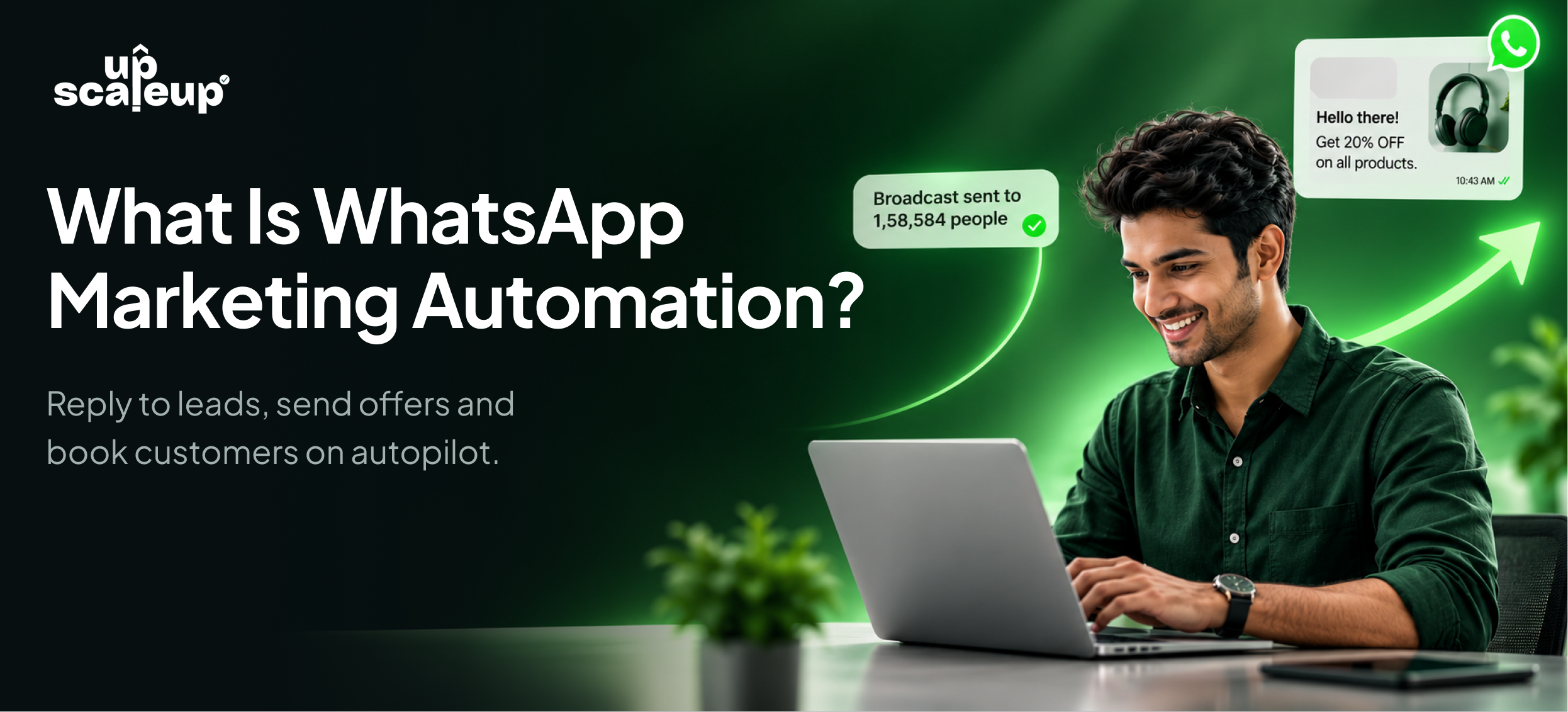
WhatsApp marketing automation means using software to send, answer and follow up on WhatsApp messages automatically, using the official WhatsApp Business Platform (API) from Meta.
In simple words: you set the rules once, and the system does the work every time.
It usually covers five things:
-
Broadcasts: send an offer or update to your whole list, or to a smaller group, in one go.
-
Chatbots: answer common questions and collect details, day or night.
-
Follow-ups: send timed messages to people who have not replied yet.
-
Bookings and reminders: let customers pick a slot in the chat and get reminded before it.
-
A shared team inbox: every reply lands in one place, and the right person picks it up.
The main idea is simple. Automation handles the first reply, the repeat question and the reminder. Your team handles the conversation that needs a human.
It is also worth being clear about what it is not. It is not spam. It is not a tool for sending messages to people who never asked for them. And it is not one single feature. It is a group of tools that work together on the same number, the same contacts and the same inbox.
WhatsApp Business App vs WhatsApp Business API
Most small businesses start with the free WhatsApp Business app. It is a good start. But when the number of chats grows, it begins to slow you down.
Here is the difference:
|
Factor |
WhatsApp Business App |
Official WhatsApp Business API (with automation) |
|---|---|---|
|
Best for |
One owner or a very small team |
Growing teams and serious sales |
|
Team access |
Very limited |
Many team members on one number |
|
Broadcast size |
Up to 256 contacts at a time |
Thousands of opted-in contacts |
|
Chatbots and AI |
Basic auto-replies only |
Full chatbot flows and AI replies |
|
Follow-ups |
Manual |
Timed sequences that stop when the customer replies |
|
Reports |
Very basic |
Read, click and revenue tracking per campaign |
|
Payments and store |
Limited |
Catalog, cart and UPI payments in the chat |
|
Ban risk |
High if you send promo blasts |
Low, when you use approved templates and opt-in contacts |
The practical difference shows up quickly. On the app, you send a message. With the API and automation, you run a system: a message goes out, the reply is handled, the follow-up is scheduled and the result is measured.
How Does WhatsApp Marketing Automation Actually Work?
From the outside, it looks easy: connect your number, add your contacts, switch on a chatbot. Underneath, three layers work together. Knowing them helps you understand what to expect and where things can go wrong.
Layer 1: The Connection Layer (Official API)
Everything starts with how your number connects to WhatsApp. A good platform connects through Meta's official system. There is no unofficial route in between.
This matters for one big reason: safety. Bans usually come from unofficial tools and from messages that people did not agree to receive. When you send through the official API, with approved templates and opted-in contacts, you stay within Meta's rules and your number stays safe.
This layer also decides how you pay. Meta charges for the messages you send, and a platform can either bill that at cost or add its own markup on top. Always check this before you choose a tool.
Layer 2: The Automation Layer (Rules, Flows and AI)
This is where the work happens. The automation layer decides what to send, when to send it and how to reply.
It has three main parts:
-
Triggers: something happens, like a new lead, a form submission, an abandoned cart, a booking or a birthday.
-
Flows: a set of steps that follow the trigger, like send a welcome, ask for budget, share options, book a visit.
-
AI replies: for questions that do not fit a fixed flow, AI reads the question and answers from your own content, like your catalog, FAQs and website.
A simple example: a customer fills your website form. The system adds them as a contact, sends a welcome message on WhatsApp, asks two questions, and books a call. If they do not reply, a reminder goes out the next day. If they reply at any point, the reminders stop. No one on your team had to do anything.
Layer 3: The Human Layer (Team Inbox and Handoff)
Automation should know when to step back. The human layer is a shared inbox where every conversation lands, with the full chat history attached.
When a lead is ready to buy, asks for a discount, or has a complex question, the chat is handed to the right person with full context. They do not need to ask the customer to repeat anything.
The best setups use all three layers together. If the connection is unofficial, you risk a ban. If the automation is weak, you get robotic chats. If there is no handoff, you lose the sales that need a human touch.
A Quick Note on Templates, Opt-in and Costs
Three things every beginner should know:
-
Templates: To start a conversation with a customer, you send a message template that Meta has approved. After the customer replies, you can chat more freely within the allowed window.
-
Opt-in: You should only message people who agreed to hear from you. This is both a rule and good marketing.
-
Costs: Meta charges per message. In India, Meta's rate is about ₹0.86 for a marketing offer and about ₹0.11 for a utility follow-up, plus 18% GST. These are Meta's rates and can change, so always check the latest.
Key Use Cases for WhatsApp Marketing Automation
WhatsApp automation is not one feature. It covers different jobs in your sales journey. Here are the ones where businesses see the clearest results.
1. Capturing and Qualifying Leads
Leads often message at odd hours, from ads, QR codes, website buttons and links. If no one replies fast, they move on.
A chatbot can reply in seconds, ask simple questions (budget, need, timing), and pass only the serious leads to your team. This is called lead qualification, and it saves hours of back and forth.
On UpScaleUp.io, the AI chatbot has an average first reply time of 3 seconds, compared to hours for a typical team on manual replies.
2. Sending Broadcasts That Get Read
A broadcast is one message sent to many people. On the official API, you can send offers to your whole list or a segment, schedule them for when people read, and see who read, clicked and bought.
The average campaign read rate on UpScaleUp.io is 86%.
Good broadcasts are not blasts. They are targeted. A customer who bought shoes last month should not get the same message as a brand new lead.
3. Booking Appointments and Sending Reminders
This is a big one for clinics, salons, coaching institutes, real estate and fitness studios. The customer picks a day and time inside the chat, the slot is added to your calendar, and reminders go out before the visit.
Businesses on UpScaleUp.io see 76% of customers turning up with reminders, up from 37% without them.
4. Recovering Abandoned Carts
Many online shoppers add items to a cart and leave. A WhatsApp message with the checkout link, sent a few minutes after they drop off, can bring them back. UpScaleUp.io customers win back roughly 24% to 40% of abandoned carts with this simple flow.
5. Following Up Until They Reply
Most sales do not close on the first message. Follow-up automation sends timed nudges, like a reminder on day 1 and an offer on day 3, and stops the moment the customer replies. No lead is forgotten, and no customer gets annoying repeat messages.
6. Selling and Taking Payments in the Chat
Customers can browse your catalog, add items to a cart and pay by UPI, Razorpay or Stripe without leaving WhatsApp. This cuts the steps between "I am interested" and "I have paid".
It also works for digital products. An e-book or a course can be delivered instantly after payment.
7. Connecting Your Other Tools
Automation works best when it is connected to the tools you already use. Shopify, WooCommerce, Zoho Commerce, Google Sheets, Google Forms, Google Calendar, Mailchimp and Zapier can all trigger WhatsApp messages. A new row in a sheet can send a welcome message. A new order can send a tracking link.
Benefits of WhatsApp Marketing Automation
The benefits are not only about saving time. They change how a business sells.
For Business Owners and Founders
-
Faster replies, more sales: The first reply decides who wins the customer. Replying in seconds, even at 2 AM, puts you ahead.
-
No leads forgotten: Every lead gets a follow-up, without anyone keeping a notebook.
-
More revenue from your existing list: You already have customers and leads. A good broadcast reaches all of them, not only the few who check your status.
-
Less manual work: Your team stops copy-pasting messages and starts having better conversations.
By Industry
WhatsApp automation looks different in each business. Here are common examples:
|
Industry |
How automation helps |
|---|---|
|
E-commerce and D2C |
Order confirmations, cart recovery, festive offers and UPI payments in the chat |
|
Real Estate |
New listing alerts, lead qualification by budget, site visit booking and follow-ups that do not slip |
|
Healthcare and Clinics |
Appointment booking, reminders and fewer no-shows |
|
Education and Coaching |
Demo class sign-ups, fee reminders and class links |
|
Restaurants and Cafes |
Table booking, offers and order updates |
|
Finance and Advisors |
Document collection, reminders and lead follow-ups |
|
Travel and Tourism |
Enquiry replies, itinerary sharing and booking follow-ups |
If your customers are on WhatsApp, there is almost always a use for it.
Real Numbers From Real Businesses
These figures are based on businesses using UpScaleUp.io for 90 days or more. Results vary by business.
-
3 seconds: average first reply with the AI chatbot
-
86%: average campaign read rate
-
76%: of customers turn up with reminders
-
0%: markup on Meta's message fees
How to Get Started: 5 Simple Stages
Most businesses do not struggle with the idea. They struggle with where to start. Here is a simple path.
Stage 1: Pick one problem to fix first
Do not try to automate everything at once. Pick the one task that costs you the most time or the most sales. For many businesses, it is slow replies to new leads. For others, it is follow-ups or no-shows.
Stage 2: Get your basics ready
To connect the official WhatsApp API, keep these five things handy:
-
A clean Facebook account, with no past restrictions or bans. You use it to sign in with Meta.
-
A phone number for the WhatsApp API. This can be a new SIM, or the number you already use on the WhatsApp Business app.
-
A government-issued business document, like GST, Udyam or a certificate of incorporation, for Meta's business verification.
-
Your live website URL, which Meta checks against your business.
-
A Visa or Mastercard debit or credit card, for Meta's message billing.
If your business is already verified on Meta, you can skip the document and website steps.
With everything ready, going live can take about 20 minutes. The blue tick (official business verification) can take longer, and Meta makes the final decision.
Stage 3: Bring in your contacts
Import a CSV file, or sync from Google Sheets, Shopify, WooCommerce, Zoho or Mailchimp. Make sure these are people who have agreed to hear from you. Add tags like "new lead", "VIP" or "bought last month" so you can send the right message to the right group.
Stage 4: Switch on your first automation
Start small:
-
Send one approved broadcast to a small segment.
-
Turn on a simple chatbot flow for your top 5 questions.
-
Set up one follow-up for leads who go quiet.
Stage 5: Measure, then expand
Check the results. How many read it? How many replied? How many bought? Once the first automation works, add the next one: bookings, cart recovery or a welcome journey. Teams that grow step by step get better results than teams that switch on everything on day one.
Common Barriers and How to Overcome Them
Not every barrier is technical. Here are the most common worries, and a simple way to handle each.
|
Barrier |
What it usually means |
Practical response |
|---|---|---|
|
Fear of getting banned |
Worry about losing your number and chats |
Use the official API, approved templates and opted-in contacts only |
|
Team does not want to use it |
Fear that automation will replace people or add work |
Start with one small task, show the time saved, and keep a human handoff |
|
Unsure about the cost |
ROI is not clear upfront |
Tie the spend to one result, like leads replied to or carts recovered, and check Meta's rates in advance |
|
Messy contact list |
Old numbers, duplicates, no opt-in |
Clean the list first and add tags before the first broadcast |
|
Robotic chatbot replies |
Flows feel stiff or answers feel wrong |
Keep flows short, train AI on your own content, and review replies every month |
|
No one owns it |
Nobody is in charge of the setup |
Name one person to own the chatbot, templates and reports |
Safety, Opt-in and Ban Risk
This is where many beginners worry, and it is a fair worry. Here is the simple version.
Bans come from two things: using unofficial tools, and sending messages people did not agree to receive.
To stay safe:
-
Use the official API only. Avoid tools that promise unlimited bulk messaging from a normal number.
-
Collect opt-in. Get permission through forms, QR codes, website buttons or chats started by the customer.
-
Use approved templates. They keep your messages within Meta's rules and often get approved quickly if they are clear and honest.
-
Make it easy to stop. Let people opt out. This protects your number quality.
-
Watch your quality. If many people block or report you, your sending limits can drop. Send relevant messages to the right segment.
Also ask your platform these questions before you commit:
-
Is it an official Meta partner, with a direct connection to Meta?
-
Does it add a markup on Meta's message fees?
-
Can the whole team work from one number?
-
Who helps if something goes wrong during setup?
How UpScaleUp.io Brings WhatsApp Automation Into One Place
Many teams end up with five different tools: one for broadcasts, one for chatbots, one for bookings, one for payments and one for the inbox. They do not talk to each other, and the bills add up.
UpScaleUp.io is an all-in-one WhatsApp marketing platform and an official Meta Tech Partner. Everything runs on the same number, the same contacts and the same inbox.
Here is what that looks like:
|
What you want to do |
UpScaleUp.io feature |
What it does |
|---|---|---|
|
Reply to leads instantly |
Drag-and-drop flows plus AI that answers from your own content, in about 3 seconds |
|
|
Send offers to your list |
Scheduled offers with read, click and revenue tracking |
|
|
Fill your calendar |
Slots picked in the chat, synced with Google Calendar, with reminders |
|
|
Win back lost sales |
Automatic reminders for Shopify and WooCommerce carts |
|
|
Never forget a lead |
Timed nudges that stop when the customer replies |
|
|
Sell inside the chat |
Catalog, cart and UPI, Razorpay or Stripe payments |
|
|
Welcome new contacts |
Up to 50 steps of onboarding messages per journey |
|
|
Send to the right people |
Target by behavior, tags and custom fields |
|
|
Work as a team |
One number, every agent, full customer history |
|
|
Know what made money |
See which message got the sale, and compare campaigns |
|
|
Capture leads from forms |
Reply to every form lead in seconds, with no copy-paste |
Why Businesses Choose It
-
0% markup on Meta's fees. Meta bills the messages directly, and UpScaleUp adds nothing on top. You can check Meta's rates with the Meta charge calculator.
-
Official API, low ban risk. You send through Meta's own system with approved templates.
-
Free onboarding. A specialist helps you set up your number, template and chatbot.
-
Blue tick help. The team prepares your verification and submits it to Meta for you. Approval is Meta's decision.
-
Keep your number. In most cases, you can keep the WhatsApp number you already use.
-
No code. If you can use WhatsApp, you can use it. Developers also get API access on higher plans.
Which Plan Has What
UpScaleUp.io has three plans. Each higher plan includes everything in the one before it. Meta's message fees are billed separately, at cost. See the pricing page for current prices.
|
Plan |
Best for |
Main features included |
|---|---|---|
|
Scale |
Growing businesses |
Broadcasts and scheduling, shared inbox, chatbot flow builder, Google Sheets and Forms, link and QR generator, blue tick help, 5 team members |
|
Dominate |
Serious automation and scale |
Everything in Scale, plus WhatsApp Flows, catalog and stores, booking automation, lead automation (follow-ups, events, onboarding), Shopify, WooCommerce and Zoho Commerce, Google Calendar, Zapier, advanced segments, API access, 20 team members |
|
Apex AI |
AI-powered growth |
Everything in Dominate, plus AI chatbot, AI template creation, AI analytics, 50 team members |
It is built for more than 20 industries, including E-commerce and D2C, Real Estate, Healthcare and Clinics and Education and Coaching.
New to the WhatsApp API? Start with the setup guide, see the platform demo, or get started and send your first broadcast the same day.
Conclusion
WhatsApp marketing automation is not a future idea. It is a practical tool that businesses of every size use today to reply faster, follow up better and sell more, on the app their customers already open every day.
The businesses that get the most from it start with one clear problem, use the official API, collect opt-in contacts, keep a real person ready for the conversations that matter, and then grow step by step.
The technology handles the repeated work. Your team handles the relationships.
If customers are messaging your business right now, the question is not whether to automate. It is how fast you can start.
Ready to try it? Start free, no credit card needed. Get started with UpScaleUp.io or book a live demo.
Frequently asked questions
Quick answers related to this guide.
What is WhatsApp marketing automation in simple terms?
It is software that sends, answers and follows up on WhatsApp messages for you, using the official WhatsApp Business API. It handles things like first replies, offers, reminders and follow-ups, so your team can focus on real conversations.
Is WhatsApp marketing automation legal and safe?
Yes, when you use the official WhatsApp Business API, send approved templates and only message people who agreed to hear from you. Problems usually come from unofficial tools and unwanted messages.
What is the difference between the WhatsApp Business app and the API?
The Business app is free and good for very small teams, but it limits broadcasts to 256 contacts and has basic automation. The API supports many team members on one number, chatbots, AI replies, large broadcasts, payments and detailed reports.
Will my number get banned?
Bans come from unofficial tools and from messages people did not agree to receive. If you use the official API, approved templates and opted-in contacts, you stay within Meta's rules and the risk stays low.
Can I keep my existing WhatsApp number?
Usually, yes. You can move the number you already use, or start with a new one. Your platform's team can confirm this for your case.
How much does it cost?
There are two parts. First, the platform fee, which depends on the plan you choose. Second, Meta's message fees, which Meta bills directly. In India, Meta's rates are about ₹0.86 per marketing offer and ₹0.11 per utility follow-up, plus 18% GST. UpScaleUp.io adds 0% markup on these fees.
Do I need to know how to code?
No. Broadcasts, chatbots, forms and follow-ups are built on screen, with drag and drop. If you can use WhatsApp, you can use this
How long does it take to go live?
About 20 minutes for most teams that have their documents ready. You connect the number, import your contacts and send your first broadcast. The blue tick can take longer, and approval is Meta's decision.
Can customers pay inside WhatsApp?
Yes. You can share your catalog, take the order and collect payment through UPI, Razorpay or Stripe, without sending customers to another app.
Does WhatsApp automation replace my sales team?
No. It handles volume and repetition, like first replies and reminders. Your team still handles negotiation, trust and the sales that need a human touch.
Which businesses should use WhatsApp marketing automation?
Any business whose customers are on WhatsApp. It is widely used in e-commerce, real estate, clinics, education, restaurants, travel, finance, fitness, retail and services.